
Bulk Post-a-Truck (PAT) Order Management
If you post trucks on Amazon Relay, you know the pain of editing them one at a time. Rocket’s Post-a-Truck manager lets you select many orders and modify, clone, or delete them in one action, and assign drivers, right on the Orders page. It is a Pro feature, turned on with the Post-a-Truck toggle in settings.
What you can do
- Modify in bulk - change start/end time, minimum payout, minimum rate per mile, stem time, max stops, and the origin/destination search radius (how far out to look) across all the orders you selected.
- Clone - copy orders with changes, so you can post the same truck across several lanes fast.
- Delete selected or delete all - clear out orders in one click.
- Assign drivers - pick from your active drivers (one for solo, two for team orders).
- Post from the loadboard - a one-click Post Truck button on each trip card creates an order pre-filled from that trip.
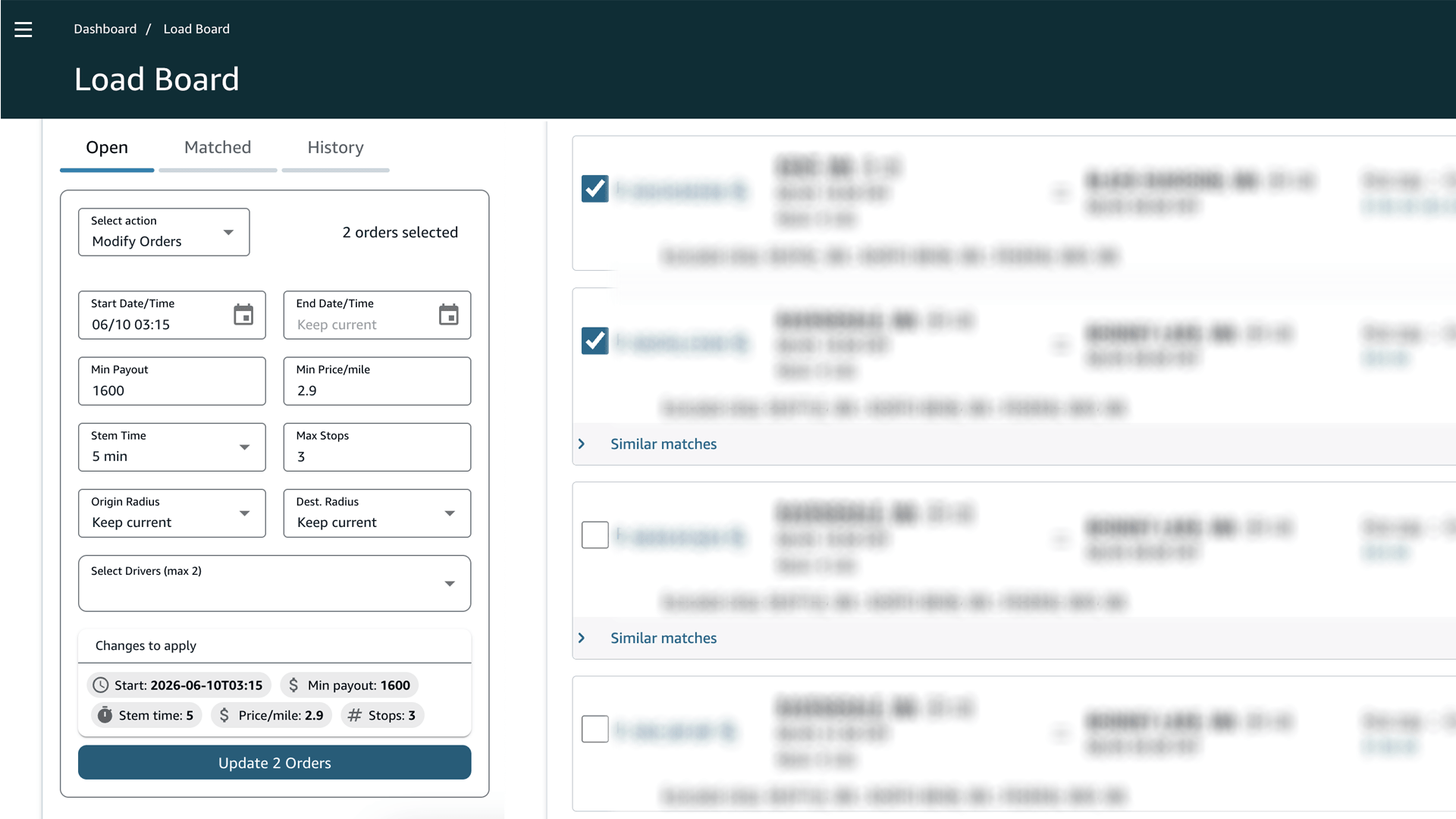
How to use it
- In Rocket settings, turn on Post-a-Truck.
- Go to the Amazon Relay Orders page (
relay.amazon.com/loadboard/orders). - Use the checkboxes Rocket adds to select the orders you want to change, or select all.
- Choose Modify, Clone, Delete Selected, or Delete All.
- Fill in the change form. A summary shows exactly what will change before you confirm.
- Confirm. A progress bar shows done / failed / total as the changes apply.
Why it helps
Managing posts by hand is slow and easy to get wrong when you run several trucks or lanes. Bulk editing turns a long chore into a few clicks, and the change summary keeps you from making a costly mistake. Together with the auto-booker, Rocket covers both sides of the board - finding loads and posting trucks - in one place.
Common questions
Is Post-a-Truck management free? No, it is a Pro feature (7-day free trial available).
Will it change orders I did not select? No. Only the orders you check are affected. The exception is Delete All, which clears every order in the current tab.
Does it work for team orders? Yes. You can assign up to two drivers on team orders.
Related: Post a truck from a loadboard trip · Features · Pricing · Getting Started